Se rendre au contenu

Downloads

Installation Guides


Discovering Velbus and ready to get started? Refer to our Velbus installation guide for hardware installation and software configuration. We also recommend reading our troubleshooting guide! 

Hardware installation

Insert text styles like headers, bold, italic, lists, and fonts with a simple WYSIWYG editor. Flexible and easy to use, it lets you design and format documents in real time. No coding knowledge is needed, making content creation straightforward and enjoyable for everyone.

Software configuration

Click and change content directly from the front-end, avoiding complex backend processes. This tool allows quick updates to text, images, and elements right on the page, streamlining your workflow and maintaining control over your content.

Troubleshooting guide

Design features


Our design features offer a range of tools to create visually stunning websites. Utilize WYSIWYG editors, drag-and-drop building blocks, and Bootstrap-based templates for effortless customization. With professional themes and an intuitive system, you can design with ease and precision, ensuring a polished, responsive result.


Building blocks system

Create pages from scratch by dragging and dropping customizable building blocks. This system simplifies web design, making it accessible to all skill levels. Combine headers, images, and text sections to build cohesive layouts quickly and efficiently.


Bootstrap-Based Templates

Design Odoo templates easily with clean HTML and Bootstrap CSS. These templates offer a responsive, mobile-first design, making them simple to customize and perfect for any web project, from corporate sites to personal blogs.


Installatiegids

Hardware installatie EN NL FR

VelbusLink laatste versie (EN/NL/FR)

Software configuratie EN NL FR

Nieuw bij Velbus en klaar om aan de slag te gaan? Raadpleeg onze Velbusinstallatiegids voor de hardware-installatie en softwareconfiguratie. Ook onze probleemoplossingsgids is zeker aan te raden voor de beginnende installateur!

Velbus-acties per module

VelbusLink Software

VelbusLink is de gratis configuratiesoftware voor Velbus. Download de nieuwste versie en ga aan de slag. VelbusLink is enkel beschikbaar voor Windows. Sinds versie 11 wordt alleen Windows 10 of hoger ondersteund. U heeft geen beheerdersrechten nodig om onze VelbusLink-software te installeren, maar u kunt er wel voor kiezen deze te gebruiken om de optionele USB-driver te installeren.

Velbuslink wijzigingsoverzicht

Tools

Probleemoplossingsgids EN NL FR

VMBxxx-20 series LED feedback

Signum IoT Gateway handleiding

Om uw Velbus-installatie via een app of browser te bedienen.

Signum wijzigingsoverzicht

Andere downloads

Alle producthandleidingen en infobladen kunnen worden gedownload op de website velleman.eu.

Meer informatie 

Inspiration Leaflet 2026

Product overview 2026

NL

Prijslijst 2026

Velbus 2.0

EN

More about Velbus

Discover the Velbus experience center

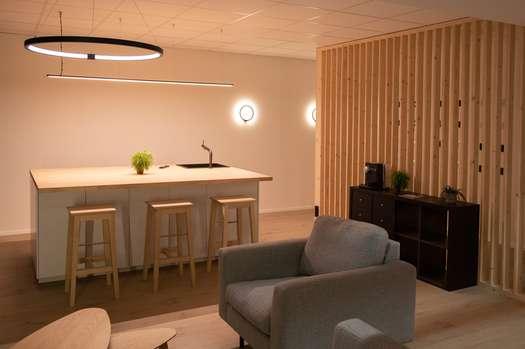
At Velbus HQ we have build a state of the art experience center! Discover with your own eyes every single high-tech home automation products that we have to offer.

Have a look at our recent references

Have a look at a few our state of the art references including Velbus home automation! Get inspired and read stories on how we helped our customers automating their needs.

Find a Velbus installer nearby

For new installations, or support on existing installations you can search the nearest Velbus installer. Enter your location to search for a Velbus Partner or showroom near you.